QR waiter
call without
the wait.
Guests scan the QR on the table and press a button — the waiter gets a notification. Plus online menu and service analytics.
From scanning
to the bill — four steps.
QR on the table
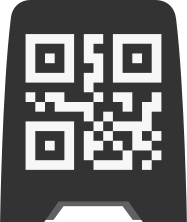
A unique QR code is placed on each table. Choose your sticker design and print it out.
Guest scans
After scanning, a page opens with a list of buttons that you can customize.
Notification
Notifications arrive on any mobile phone or tablet. You can see which button was pressed and at which table.
Statistics
The admin panel shows how quickly waiters respond and how many times the QR code was scanned.
Saving hours for waiters every single day.
Beneficial for
everyone at the table.
One tool — three different but equally impactful results.
More turnover, less downtime.
Waiters work faster. Guests don’t wait long. Faster table turnover and a higher average check.
No more "excuse me, please?"
No need to catch the waiter's eye. One tap — and the bill, menu, or a reorder is on its way.
Only the calls you need.
Waiters see where and why they are being called. Less unnecessary trips and better communication with guests.
What HeyWaiter can do.
Integration
Average launch time — from a few hours to one day. No integrator or IT expert needed.
Create an account and confirm your email. No calls with managers required.
Set up your tables, configure buttons, and link staff devices.
Download the PDF and print it yourself or at a local print shop.
Apply the QRs — guests can start calling that same evening.
One plan.
No surprises
No credit card required for the trial period.
To print QRs and try it on the floor — no card, no calls.
Everything for one restaurant. No limits or extra fees. 14 days free
Multiple restaurants in one account.